Direct mode
Connect to an Agent address and port without a server. Private and local addresses are accepted by default.
 Veilink
LAN-first remote access
Veilink connects Windows desktops through direct addresses or a transparent relay, with hardware-accelerated H.264, service discovery, file transfer, clipboard sync, audio, and recording.
Features
Start the Agent, open the Viewer, then connect directly or through a relay code.
Connect to an Agent address and port without a server. Private and local addresses are accepted by default.
Use a transparent relay when direct reachability is unavailable, while keeping media and control semantics at the endpoints.
Discover Agents on the local network and select a target without manually copying an address.
Hardware-first capture, encoding, decoding, and rendering with reliable key-frame recovery.
Browse, upload, download, and synchronize text or file clipboard content over dedicated channels.
Stream system or microphone audio and record Viewer sessions to segmented H.264 MP4 files.
Product screenshots
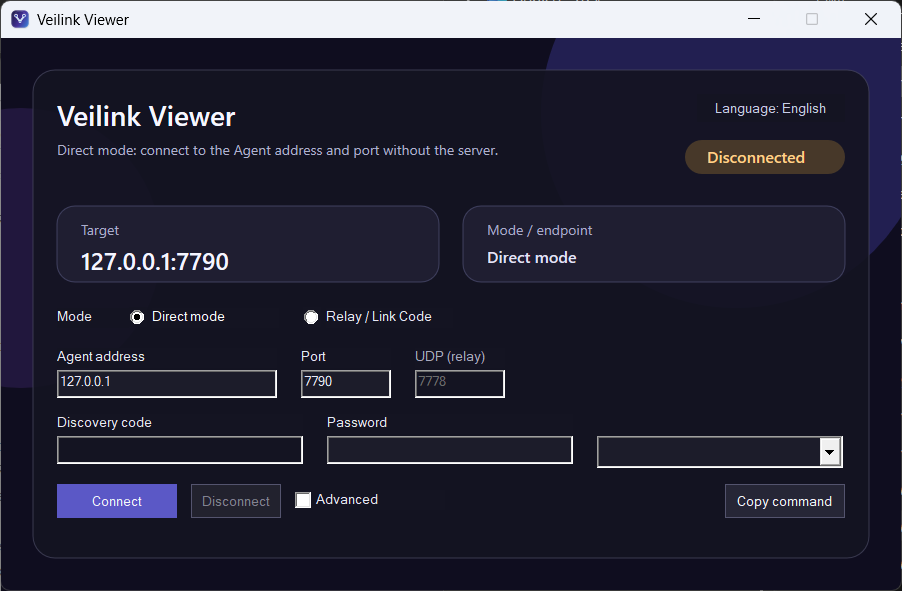
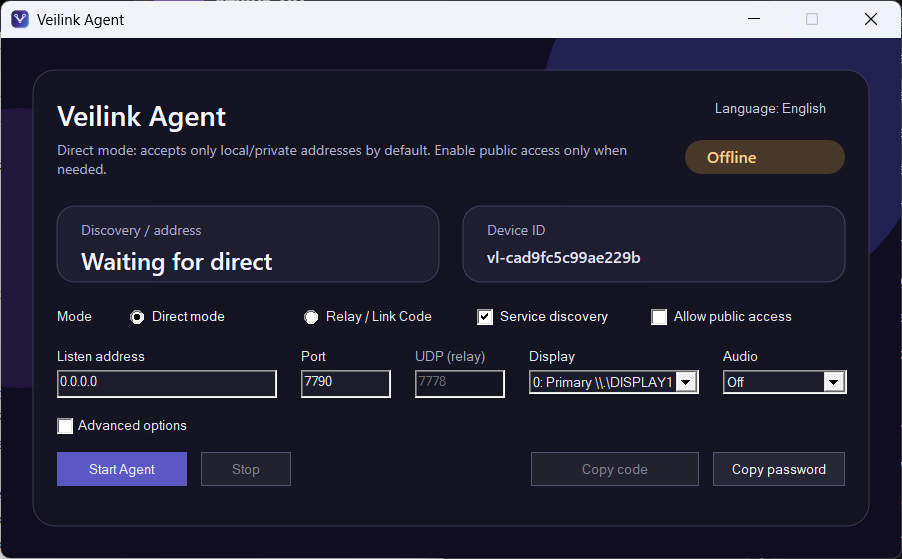
The Agent exposes only hosting controls. The Viewer owns target selection and advanced experience settings.
Host endpoint
Choose direct or relay mode, select the display and audio source, then start the Agent.
Control endpoint
Select a discovered Agent or enter an address, provide the password, and connect.
Quick Start
Choose direct mode for local access or relay mode for a link code, then start the host endpoint.
Select a discovered target or enter the Agent address, port, and password.
Use the remote desktop, file browser, clipboard synchronization, audio, and recording features.
Preview Release
The public Veilink-site repository contains the website and binary releases only. Each release publishes the two Windows GUI executables and their SHA-256 files.
The Agent may request elevation when installing or controlling its Windows service.
Download
Download only the endpoint you need, or keep both on the controlling machine.
Hosts the desktop, manages direct or relay connectivity, display selection, discovery, and audio capture.
Download Agent SHA-256 checksumConnects to an Agent, renders the remote desktop, and exposes transfer, clipboard, audio, and recording controls.
Download Viewer SHA-256 checksum